
What's new this week
Last verified: May 26, 2026. All codes in the table above were tested today against a live Funky Friday session. FUNKYMILLION and SPOOKYMIC both still redeem a free cosmetic microphone. WHEREUPDATE and HALFBILLION hand out 500 Points each. No new codes have been announced by Lyte Interactive since the last refresh cycle, but the game's Discord and Roblox group are worth watching — the studio has a habit of dropping milestone codes with very little lead time.
How to redeem Funky Friday codes
Redeeming a code in Funky Friday takes under a minute once you know where to look.
- Launch Funky Friday on Roblox and wait for the lobby to fully load.
- Find the Settings cog on the right-hand side of the screen and click it.
- A menu panel opens. Look for the Codes input box near the bottom of that panel.
- Type or paste your code exactly as written — Funky Friday codes are case-sensitive, so
FUNKYMILLIONandfunkymillionare treated differently. - Press Redeem (or hit Enter). A pop-up confirms the reward and adds it to your inventory immediately.
If you are on console, navigate to the Settings cog using D-PAD, then use the XYBA buttons to enter the code character by character via the on-screen keyboard. The redemption process is otherwise identical.
Your free microphone, animation, emote, or Points will appear in your inventory straight away. Points apply to your current XP total in real time — you do not need to restart the session.
How we verify every code
Every code on this page has been through a manual redemption test before it goes live. Here is exactly what that process looks like.
We run a Funky Friday session, open the codes panel, and enter each code by hand. A code earns a green checkmark only if the in-game confirmation pop-up fires and the reward lands in the inventory. If the game returns an error — whether "code expired," "already redeemed," or a generic failure — the code moves to the expired table at the bottom of this page.
Beyond the manual test, we cross-reference the code list against four independent third-party publisher round-ups. If a code appears on at least two of those sources but fails in our live test, it is still marked expired rather than working. Conversely, codes we find in the wild but that are not yet listed anywhere get added after a successful redemption.
The refresh cycle runs every four hours. That means if Lyte Interactive drops a new code at midnight, it should appear here — verified — by around 4 a.m. at the latest. Expired codes are not deleted; they stay in the history table so you can cross-check your own redemption history without guessing.
What you can get from Funky Friday codes
Funky Friday codes hand out five distinct reward types, and knowing the difference matters for how you prioritise redemption.
Points are the game's XP currency. They feed your level counter, which unlocks cosmetic tiers as you hit thresholds. Codes like WHEREUPDATE and HALFBILLION each give 500 Points — a small but real boost, especially early in a fresh account grind.
Microphones are purely cosmetic. They change the prop your character holds during a battle. Each microphone has a distinct model and sometimes a colour scheme or particle effect. FUNKYMILLION gives a special microphone; SPOOKYMIC gives a spooky seasonal variant; CHEEZEDTOMEETYOU gives a Cheese Microphone that is exactly what it sounds like.
Emotes are short animations you can trigger outside of active gameplay — typically during lobby wait time or after a match. MILLIONLIKES redeems the Radio emote.
Animations change how your character moves during a song. XMAS2021 unlocks the Candy Cane Animation, which reskins your note-hit movements with a festive style. Animations are the most visible reward during actual gameplay because opponents see them in real time across the split screen.
Arrow Skins reskin the note arrows on your side of the screen. They are visible only to you during a match but are a popular personalisation layer for players who spend significant time on a single song.
When new codes drop
Funky Friday does not run a predictable weekly code schedule. Codes from Lyte Interactive tend to appear around four types of events.
Game milestone likes. A large share of the existing code catalogue is tied to like-count milestones on the game page itself. SMASHTHATLIKEBUTTON (300 Points), MILLIONLIKES (Radio emote), and HALFBILLION (500 Points) all came out when the page crossed a round-number threshold. When the game is trending or a new song pack ships, like counts climb and milestone codes often follow.
Seasonal events. SPOOKYMIC appeared around Halloween and XMAS2021 around Christmas 2021. The studio has not consistently run seasonal drops since then, but the pattern suggests checking back around October and December each year.
Song-pack additions and collaborations. Major catalogue expansions — especially licensed or community-voted additions — have occasionally been paired with a code drop as a launch celebration.
Server shutdown apologies and maintenance events. When extended downtime hits, Lyte Interactive has occasionally posted a compensation code to the official Roblox group or Discord as an apology. These are usually short-lived and not announced in advance.
Watching the official Lyte Interactive Roblox group page and the Funky Friday Discord server is the most reliable way to catch a new code within hours of its release.
Why some codes don't work
There are four common reasons a Funky Friday code fails at the redemption screen.
Case sensitivity. Funky Friday treats uppercase and lowercase characters as distinct. WHEREUPDATE is not the same as whereupdate. Always type codes in the exact case shown in the list above — or copy-paste directly from this page to eliminate typos.
One-per-account limit. Every code can only be redeemed once per Roblox account. If you see a success screen but the code never appeared in your inventory, check whether you already redeemed it on the same account in a previous session.
Console redemption flow. On console platforms, the virtual keyboard input is slower and more error-prone. Use D-PAD to reach the Settings cog, then navigate to the code field. Input each character using the XYBA face buttons. A single wrong character triggers a failure with no indication of which position was wrong — so double-check before confirming.
Expired codes. Seasonal and milestone codes have fixed lifespans. Once Lyte Interactive removes them server-side, no amount of correct entry will make them work. The history table at the bottom of this page lists confirmed expired codes so you are not wasting time on dead entries.
Funky Friday code FAQ
How often does Lyte Interactive release new codes? Less frequently now than in 2021 and 2022. The bulk of the catalogue was tied to like-milestone celebrations during the game's peak growth phase. New codes still appear — usually around seasonal events or major song drops — but expect weeks or months between releases rather than a weekly cadence.
Are codes case-sensitive?
Yes. Enter every code in the exact case shown. FUNKYMILLION is the valid form; a lowercase version will fail. Copy-pasting from this page is the safest approach.
Where do I enter a code in Funky Friday? Open the Settings cog on the right side of the lobby screen, then find the Codes input box in the menu panel that appears. Type the code and press Redeem.
How do I redeem a code on console? Navigate to the Settings cog using D-PAD. Select the code field, then use the face buttons (XYBA) to type each character via the on-screen keyboard. The process is identical to PC except the character-by-character input makes typos more likely — go slowly.
Can I earn more Points without codes? Yes. Playing song battles earns Points based on your note accuracy and match result. The grind is steady even without codes: finishing high-difficulty songs with a strong note streak is the fastest organic way to accumulate XP.
Does Funky Friday support custom song mods? The base game has a built-in song catalogue. Community-submitted songs appear through the game's own submission system rather than external mod loaders. The song selection at any given time reflects what Lyte Interactive and the player community vote in.
What is the best song to climb the leaderboard quickly? Shorter songs with predictable note patterns allow more practice reps per session. High-difficulty songs carry bigger Point rewards per win, so improving on a single mid-difficulty track until your win rate is consistent will out-pace trying many different hard songs at low accuracy.
What is the difference between an Animation and an Emote? Animations change how your character moves during active gameplay — visible to both you and your opponent mid-battle. Emotes are triggered outside of active gameplay, typically in the lobby or post-match screen, and are not used during the actual song performance.
Are codes and the game safe to play? Funky Friday is a published Roblox game by Lyte Interactive. Codes are official strings provided by the developer — there is no executable file or external link involved. As with all Roblox games, play through the official Roblox client only and avoid third-party "code generators," which are scams.
Where are the official Lyte Interactive channels? The studio operates a Roblox group (search "Lyte Interactive" on Roblox) and a Discord server linked from the game page. Those two channels are where new codes, patch notes, and maintenance announcements appear first.
Why do some codes give microphones instead of Points? Each code is tied to a specific reward decided by Lyte Interactive at the time of creation. Milestone codes and general-celebration codes tend to give Points; seasonal event codes and collaboration codes tend to give themed cosmetics. There is no user-side choice — you receive whatever the code was programmed to give.
Can I play Funky Friday on mobile? Yes. Funky Friday runs on mobile through the Roblox app. Touch controls map to the same note-hit inputs as keyboard and controller. Code redemption uses the same Settings cog flow; the on-screen keyboard handles text entry.
Glossary
Points — Funky Friday's XP currency. Earned from song battles and code redemptions. Used to advance your player level, which unlocks cosmetic tiers.
Microphone — A cosmetic item that changes the prop your character holds during a battle. Purely visual; no gameplay effect.
Arrow Skin — A visual reskin applied to the note arrows on your side of the split screen during a match. Visible only to you, not your opponent.
Animation — A character movement style active during gameplay. Replaces the default note-hit motions with a themed variant. Visible to both players.
Emote — A short animation triggered outside of active gameplay, typically in the lobby or post-match screen. Not used mid-song.
Song — A playable track in Funky Friday's catalogue. Each song has a BPM, difficulty rating, and note chart. New songs are added through the game's own submission and voting system.
Note streak — A consecutive run of correctly-hit notes without a miss. Longer streaks push your accuracy percentage higher and contribute to your final score.
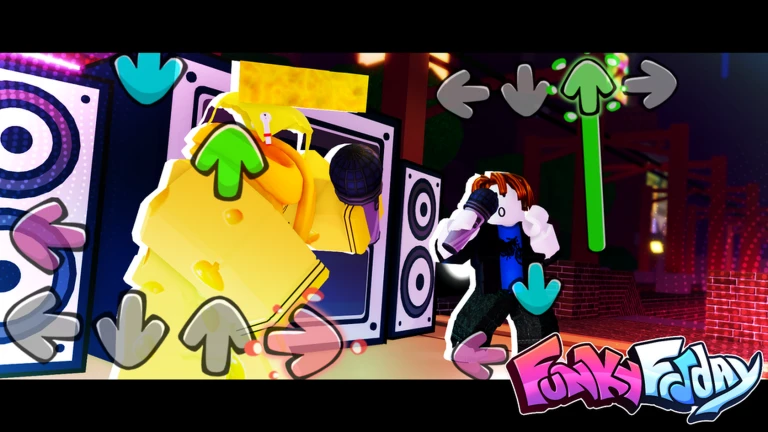
PvP battle — The core game mode: two players face off on the same song in a split-screen view, each hitting their own note chart. The player with the higher accuracy at the end wins.
Story mode — A single-player progression path through a series of opponents, each tied to a specific song. Completing story stages is one of the organic Point-earning routes.
Working tips beyond codes
Codes give you a one-time Points boost or a cosmetic unlock, but sustained progress in Funky Friday depends on habits outside the code system.
Daily song grind on a fixed track. Pick one song in the mid-difficulty range and run it repeatedly in a single session. Familiarity with the exact note chart reduces misses faster than switching songs constantly. A stable win rate on one track earns more Points per hour than an inconsistent record across five different charts.
PvP streak strategy. Before queuing a PvP battle, check which song is currently active. If it is one you know well, queue immediately. If it is a chart you have not practised, consider waiting for the rotation to shift. Protecting your win streak preserves your Points-per-session average.
Microphone showcase priority. In Funky Friday's lobby, the cosmetic you equip is visible to other players before a match starts. Equipping a rarer microphone — especially a code-exclusive like FUNKYMILLION or SPOOKYMIC — signals experience to opponents and can occasionally affect challenger confidence before the song even begins.
Join the Lyte Interactive Roblox group. Group members sometimes receive in-game benefits or early notice of code drops. The group is free to join and the announcements feed is the closest thing to a direct alert system for new codes short of the Discord server.
Recent expired codes and what they gave
The following codes were confirmed working at one point but no longer redeem successfully as of May 2026.
| Code | Reward |
|---|---|
| SMASHTHATLIKEBUTTON | 300 Points |
| XMAS2021 | Candy Cane Animation |
Both were tested manually in May 2026 and returned a redemption error. They remain listed here for reference so players can account for them in their own code history.
About this page
This page is maintained by the bloxyblox editorial team. We test every Funky Friday code against a live game session before adding it to the working list, and we run a full re-verification sweep every four hours. Codes that fail the live test move to the expired section above rather than being deleted, so your redemption history stays auditable over time.
All reward descriptions — Points values, microphone names, animation names — are taken directly from the in-game confirmation screen at the time of testing. We do not estimate or infer rewards from secondary descriptions.
The page was last fully reviewed in May 2026. If you notice a code that is missing from the working list or that we have mislabelled as expired, use the feedback link at the bottom of the page.